Silent Detection
Silent Detection
Scans feed links quietly in the background without interrupting your reading.

Find website feeds and preview RSS, Atom and OPML without the clutter.

From ideas to everyday life
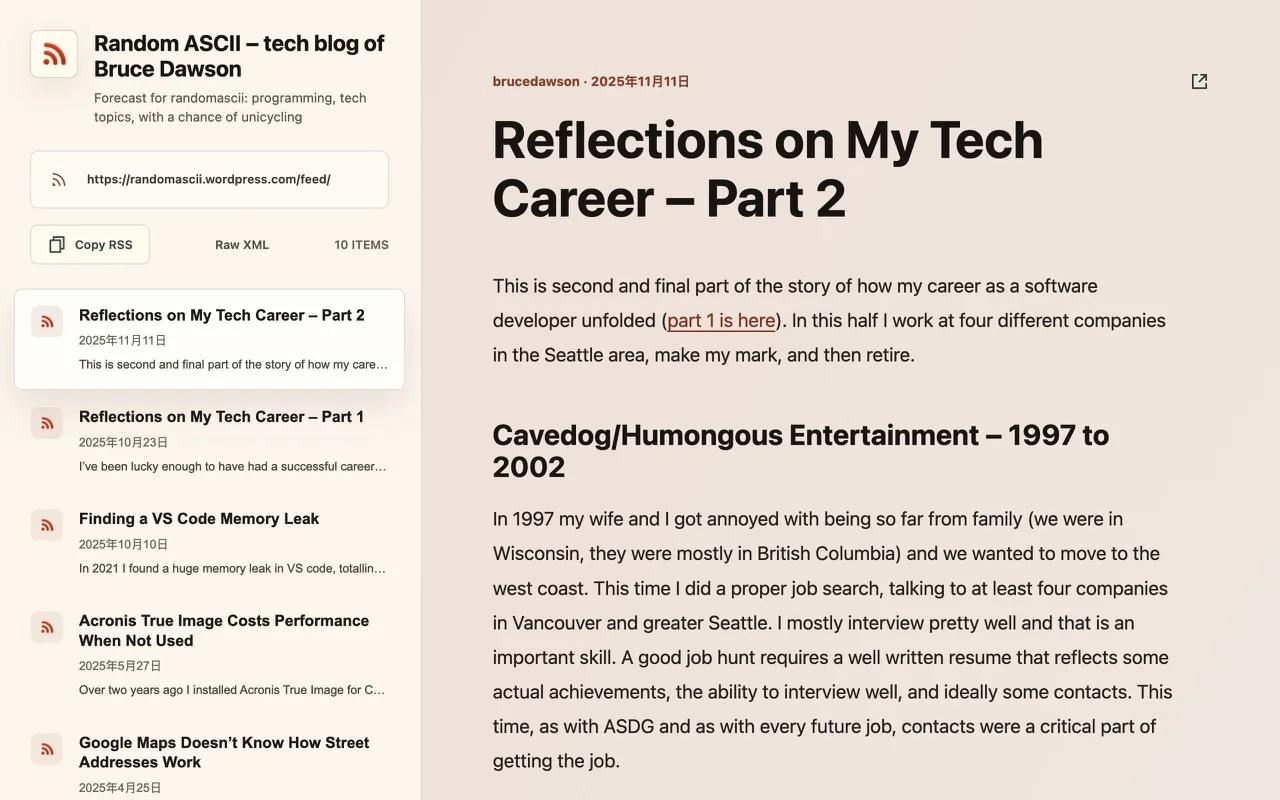
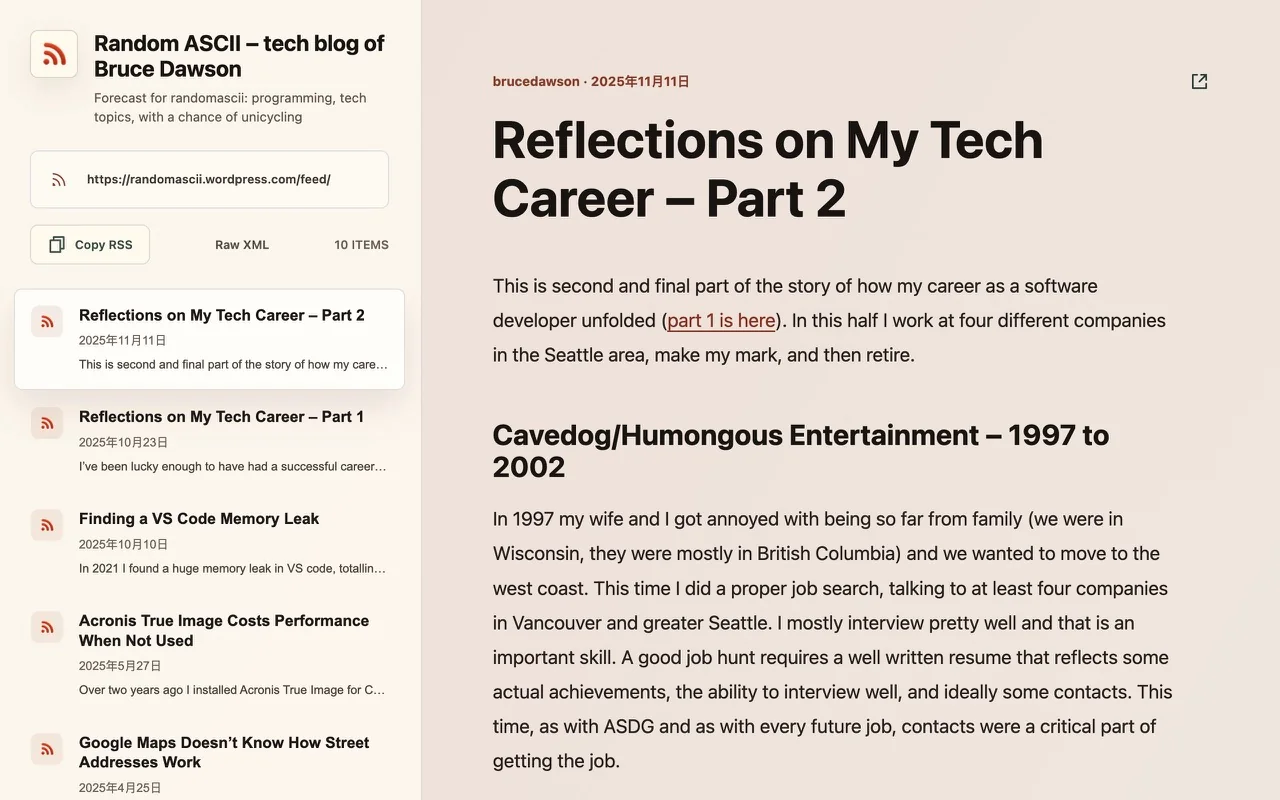
A lightweight browser extension that makes hidden feeds visible and turns hard-to-read XML into a clear article preview.
Ambient Discovery
Detect advertised RSS or Atom feeds without leaving the tab. Sample recent articles first, then subscribe on your own terms.
Scans feed links quietly in the background without interrupting your reading.
Transforms raw feed XML into clean editorial layouts with J / K shortcut support.
One-click copy or direct handoff to your favorite daily RSS reader.
Find RSS and Atom feeds advertised by the sites you visit.
Preview entries in a clean list and article view, with original links and a Raw XML option.
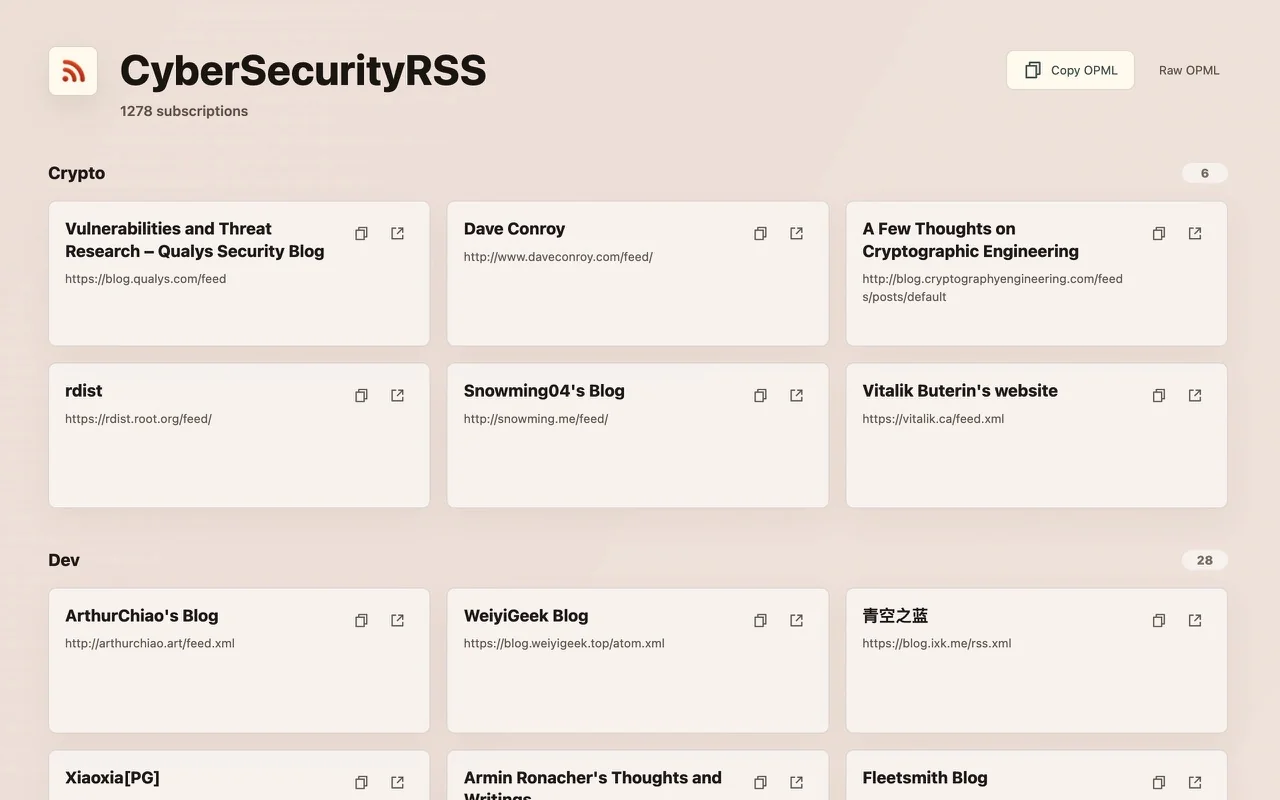
Open OPML lists as grouped feed cards and find your next read.
FAQ
Many independent blogs and publications support feeds without displaying a visible feed button on the page. FeedLens automatically scans page headers and metadata as you browse for advertised RSS, Atom, XML, and JSON feeds, lighting up its icon whenever an active feed is detected.
From the preview screen, you can copy the feed URL to your clipboard with a single click. You can also configure a custom reader URL template in settings (for Inoreader, Feedly, FreshRSS, etc.) to launch and subscribe in your favorite service directly.
Subscribing to every interesting blog or shared OPML list can quickly overwhelm your RSS reader with unread articles. FeedLens lets you sample the latest entries directly in your browser first, so you only subscribe to feeds you truly enjoy returning to.
Enable "Allow access to file URLs" for FeedLens in your browser extension settings, then drag and drop your local .opml or .xml file into a browser tab. FeedLens parses the collection into clean, grouped feed cards ready for browsing.